How to use HeimlaBOT: a complete guide to finding an apartment in Telegram
Finding an apartment in Germany is a marathon: dozens of websites, hundreds of ads per day, and good options are taken within minutes. HeimlaBOT takes this routine off your hands — it monitors multiple platforms simultaneously and can submit applications automatically, while you are busy with the rest of your life.
This guide breaks down the mini-app interface: what is where and why.
1. Open the HeimlaBOT mini-app in Telegram
The entire bot interface is a Mini App within Telegram, and there is no separate chat with commands. You can open it in two ways:
- through the bot menu button @HeimlaBOT in Telegram;
- by a direct link, if you have one (e.g., from a friend who already uses the bot).
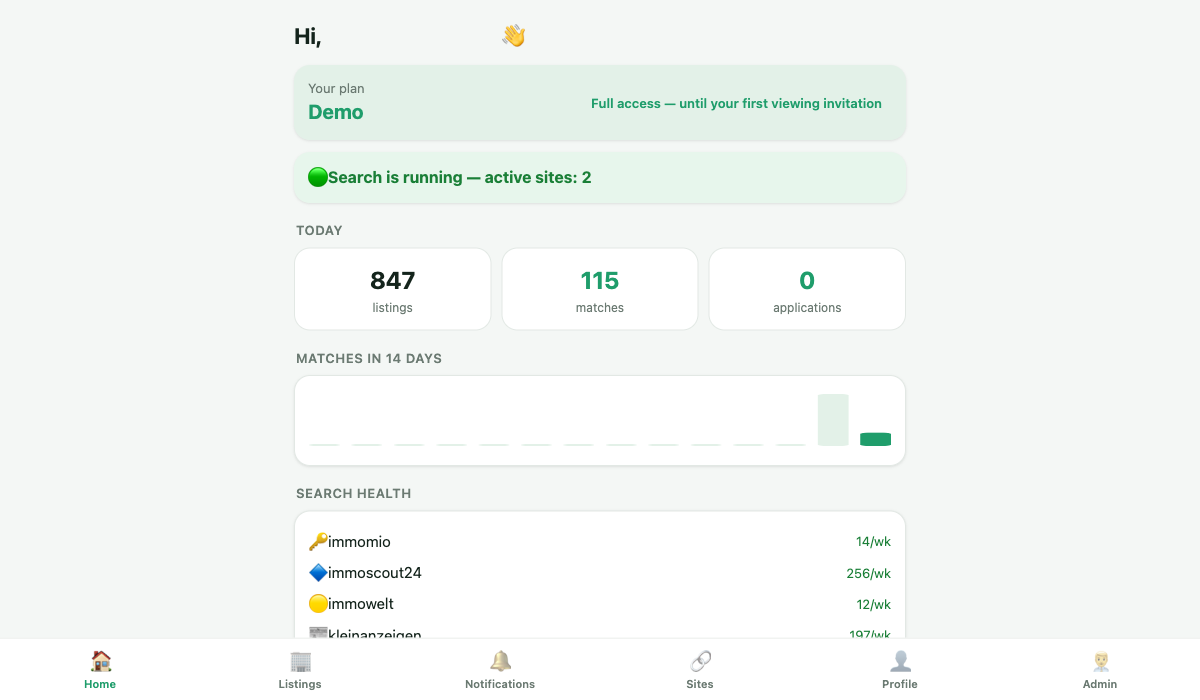
When you first launch the bot, it creates a profile for you — no separate registration is required, as Telegram has already confirmed who you are.
2. Connect Immomio
The only mandatory onboarding step is connecting your Immomio account (if you don’t have one yet, see a separate guide on registering with Immomio). This is the core of auto-submission: the bot logs into your Immomio account, tracks new offers, and submits applications on your behalf.
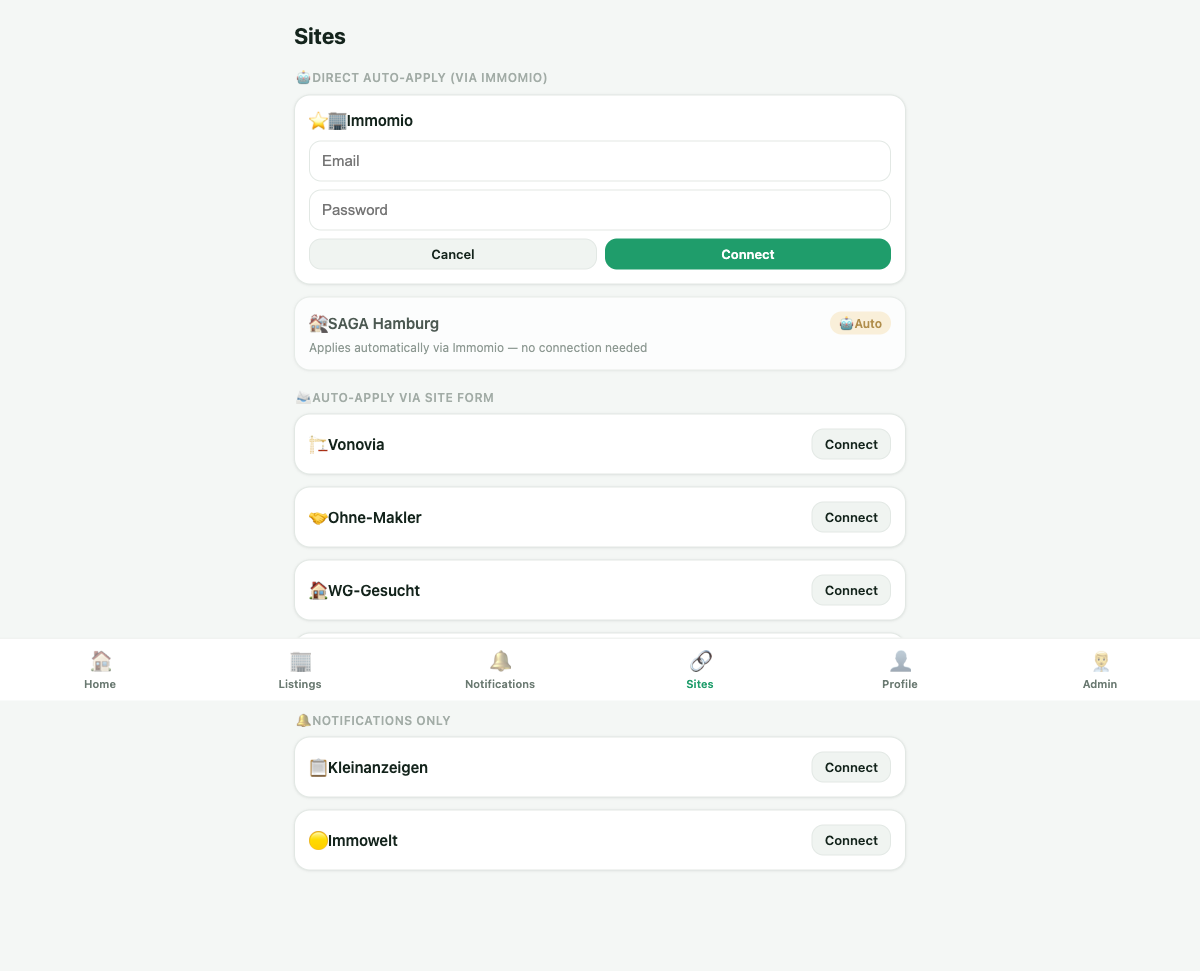
Without a connected Immomio, most of the automation won’t be active — other websites supplement the picture, but don’t replace this step.
3. Set search criteria
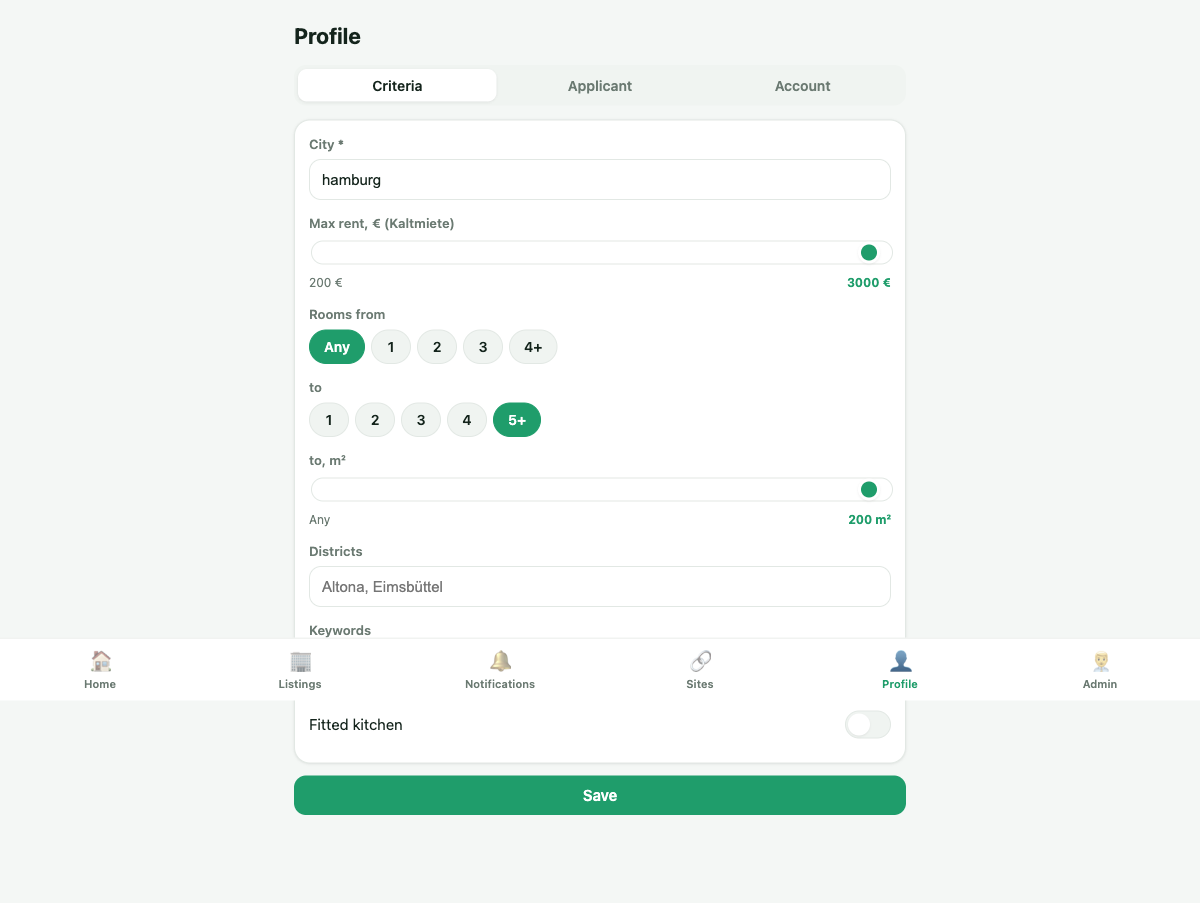
Next, there are four simple parameters:
- city (e.g., Hamburg);
- maximum rent price;
- number of rooms (from/to);
- area (from/to).
This is the only thing that determines which ads the bot will show you and submit applications for. The more reasonable the range, the fewer irrelevant notifications and the more accurate the auto-submission.
4. Connect additional sites (optional)
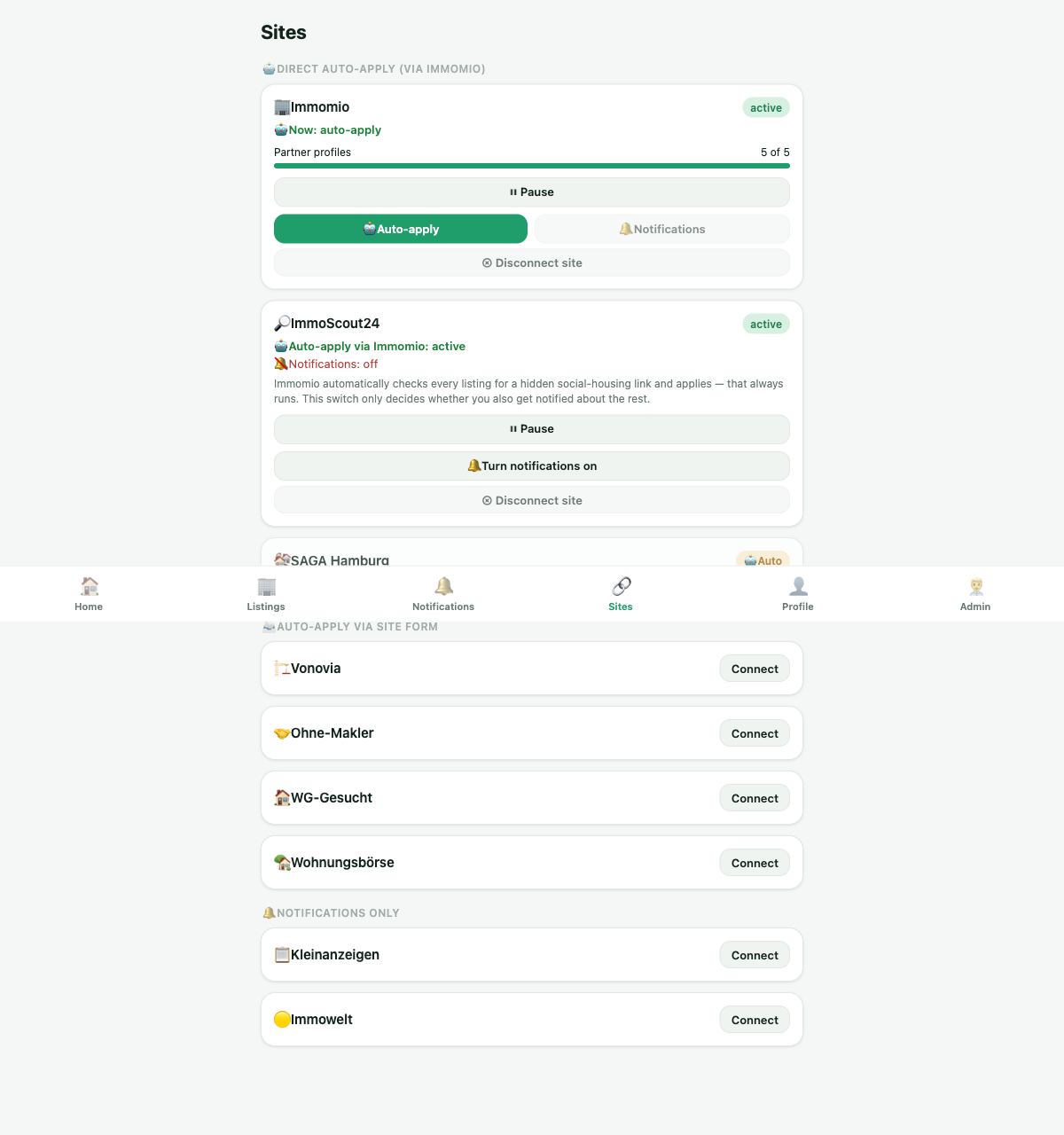
In addition to Immomio, the bot can work with several other platforms:
| Site | Auto-submission | Only notifications |
|---|---|---|
| WG-Gesucht | ✅ | |
| Vonovia | ✅ | |
| Ohne-Makler | ✅ (through personal account) | |
| Wohnungsbörse | ✅ | |
| ImmoScout24 | through Immomio-harvesting | ✅ (regular notifications separately) |
| Immowelt | through Immomio-harvesting | ✅ (regular notifications separately) |
| Kleinanzeigen | ✅ (form requires SMS code manually) |
For ImmoScout24 and Immowelt, auto-submission is already included automatically as soon as Immomio is connected — you only need to connect these two sites separately if you also want regular push notifications about new ads. For other sites, connection is a separate button on the site card in the “Sites” section.
5. Fill out the applicant questionnaire
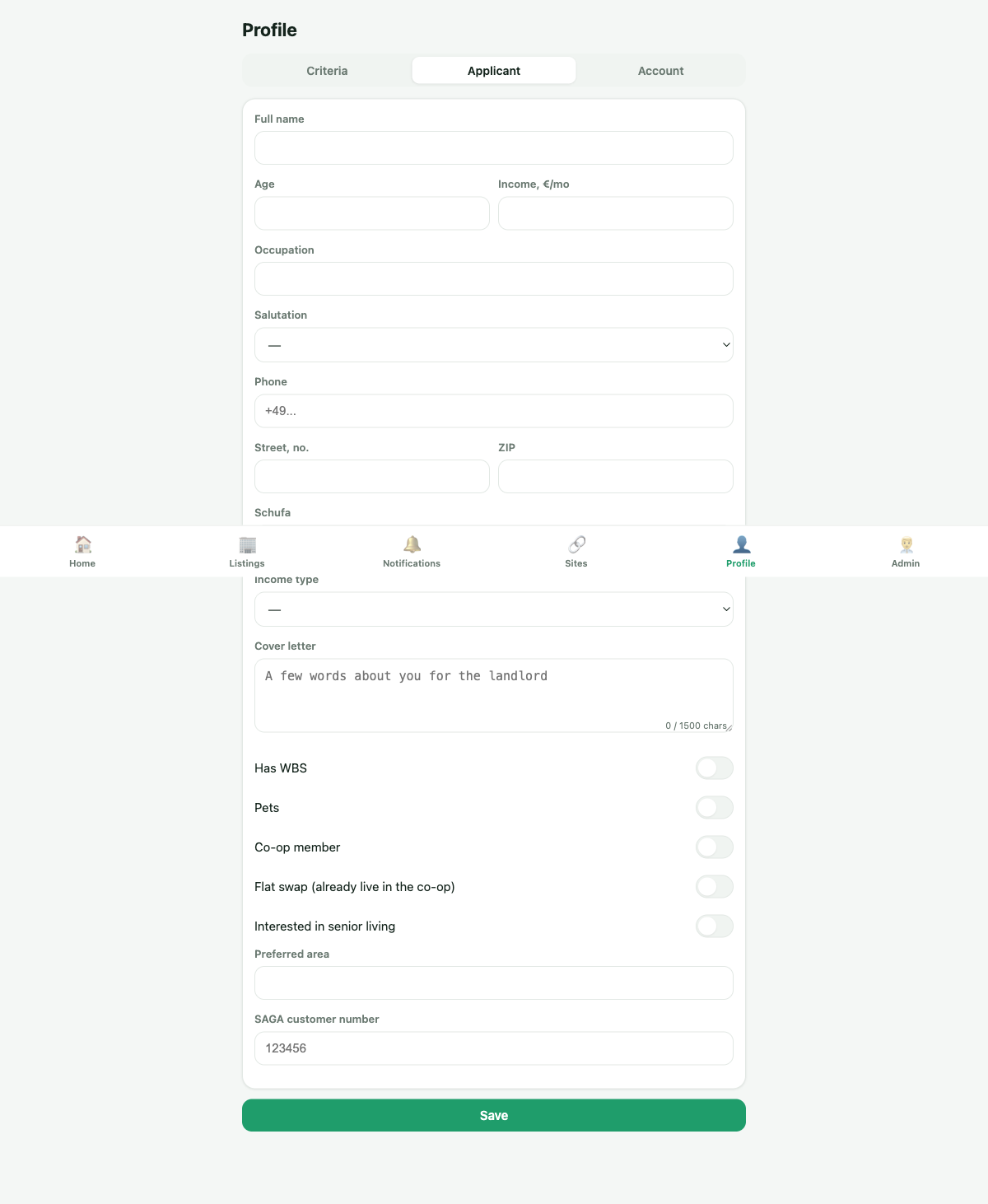
The “Questionnaire” section is the data needed for sites with an application form (WG-Gesucht, Vonovia, etc.): name, cover letter, income, family composition, WBS. For Immomio, the questionnaire is not required — it has its own, linked to your Immomio account, and the bot uses it directly.
The more detailed the questionnaire is, the more convincing the automatic application on form-sites looks — it’s like your resume before the landlord.
6. Choose the mode: notifications or auto-submission
Each connected site (except Immomio, which always works in auto-submission mode) has a switch:
- 🔔 Notifications — the bot simply sends a message about a new suitable ad, you submit the application yourself;
- 🤖 Auto-submission — the bot submits the application itself, you receive a notification post factum.
This is convenient if you want to see offers on a particular site but prefer to write a cover letter manually for a specific case.
7. Monitor notifications and statuses
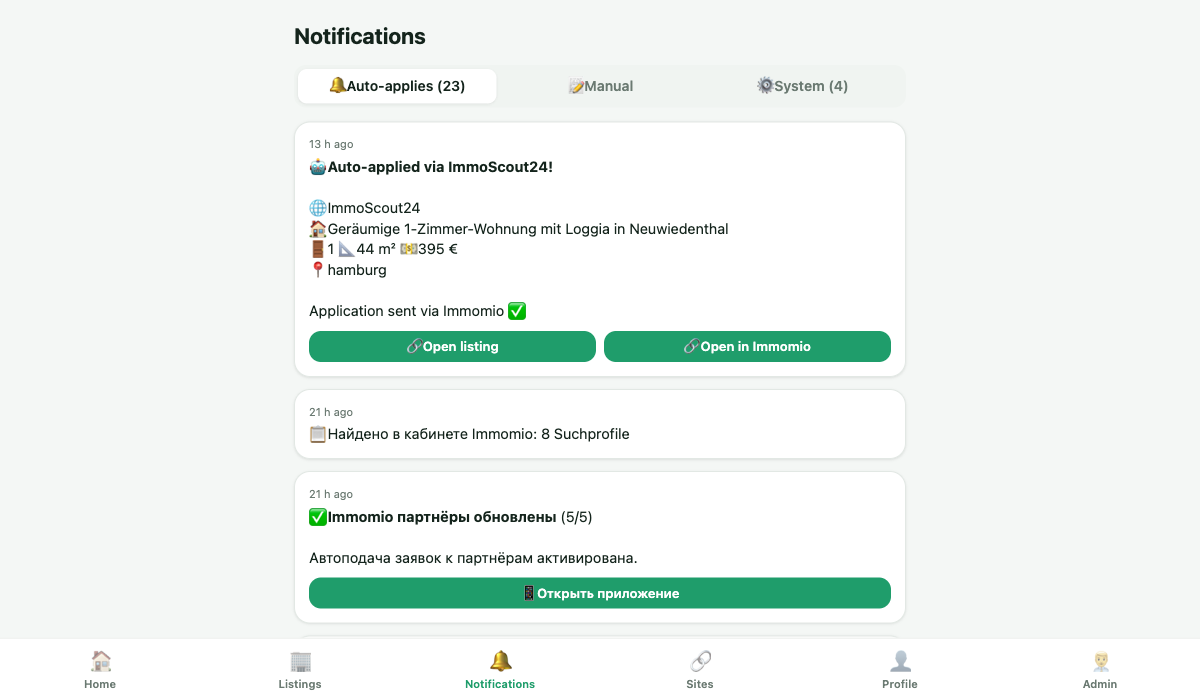
As soon as a suitable ad appears or the bot submits an application — you receive a message in Telegram with details (address, price, area, link to the ad). If the application is submitted automatically, the message says so, indicating where and through which site.
On the “Home” screen in the mini-app, you can always see the overall state: how many sites are connected, are there any problems with the session (e.g., the login on some site has expired — then a hint to reconnect appears).
Tariffs in brief
- Demo — free, full functionality (including auto-submission) until the first viewing invitation (Besichtigungstermin) on Immomio;
- Free — notifications with a daily limit, without auto-submission;
- Basic — unlimited notifications without auto-submission;
- Pro — full functionality: notifications + auto-submission on all supported sites.
The bot honestly warns: it finds suitable options and submits applications, but confirming the viewing appointment itself still needs to be done by you — via a call, email, or personal account, depending on what the landlord requests.